
Activity Dashboard
The Activity tab is your real-time command center. Monitor agent interactions, view system metrics, and manage attestation requests from a single dashboard.
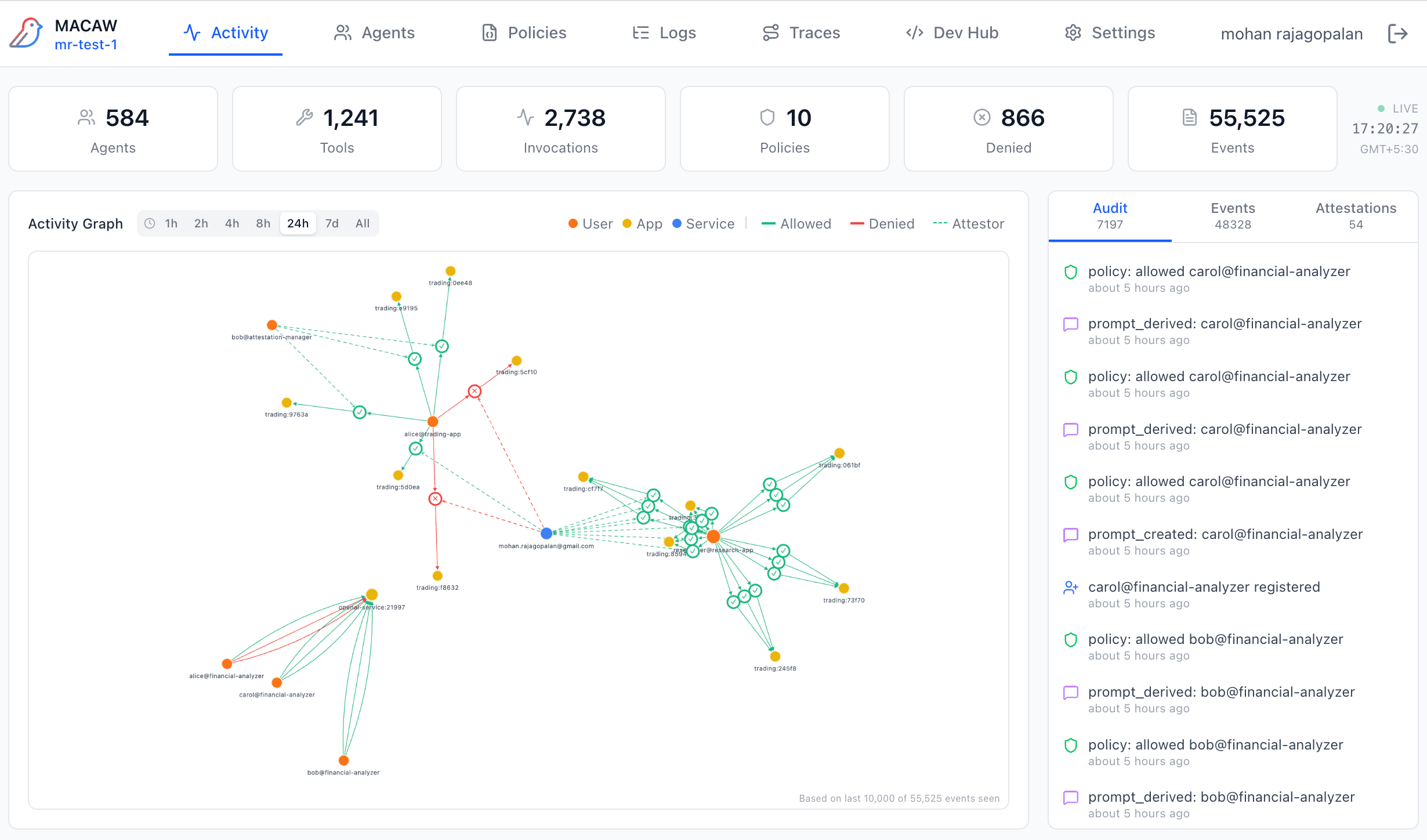
Stats Bar
The top stats bar shows real-time counts across your workspace:
| Metric | Description |
|---|---|
| Agents | Total registered agents (apps, services, users) |
| Tools | Total registered tools across all agents |
| Invocations | Total tool/LLM invocations processed |
| Policies | Active policies in the policy store |
| Denied | Requests denied by policy (click to see details in Logs) |
| Events | Total audit events with LIVE indicator and timestamp |
Activity Graph
The interactive force-directed graph visualizes relationships between agents in your system. Nodes represent agents, edges represent interactions.
Node Types
Edge Types
Time Window Filters
Filter the graph by time window: 1h, 2h, 4h, 8h, 24h, 7d, or All. Use toggles to show/hide specific edge types.
Interacting with the Graph
- • Click a node — Opens agent details overlay with ID, status, and request history
- • Click an edge — Opens policy details showing which policy governed the interaction
- • Drag nodes — Rearrange the graph layout
- • Scroll — Zoom in/out
Activity Feed
The right-side panel shows a live feed of events with three sub-tabs:
Audit
Cryptographically signed audit events. Each event includes a hash and digital signature for tamper-proof logging.
Events include: policy_decision, tool_execution, agent_registered, and more.
Events
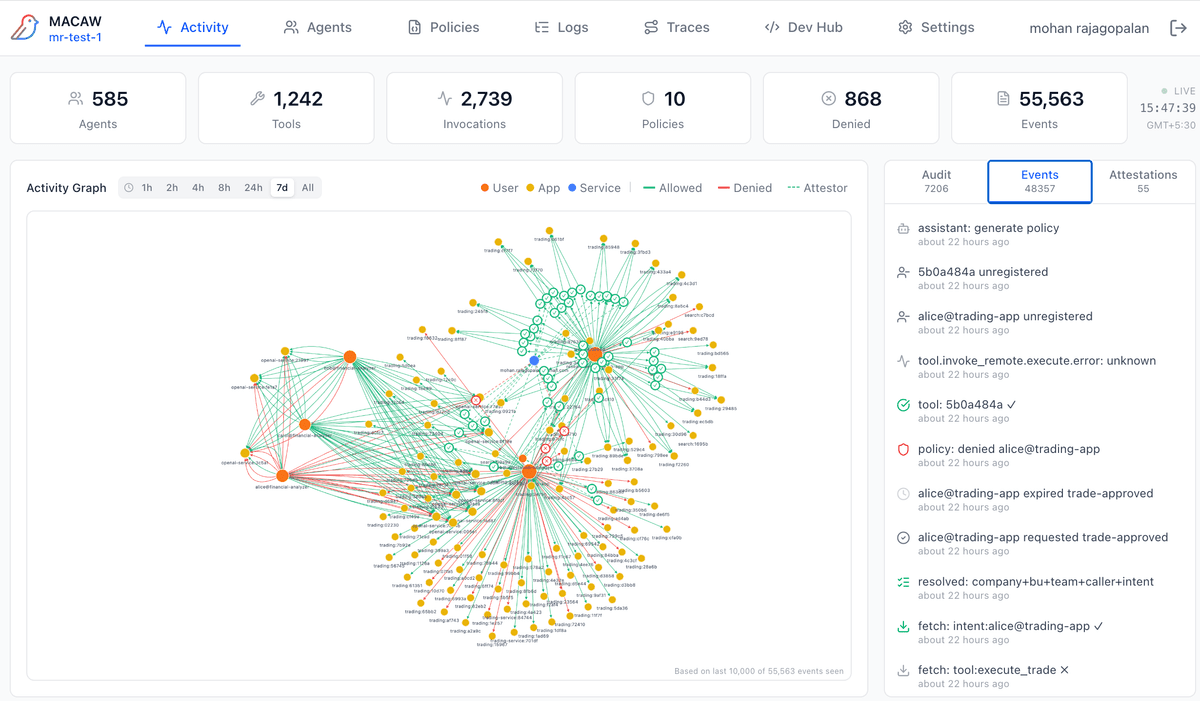
All system events including informational logs. Less formal than audit events—useful for debugging and understanding system behavior.
Attestations
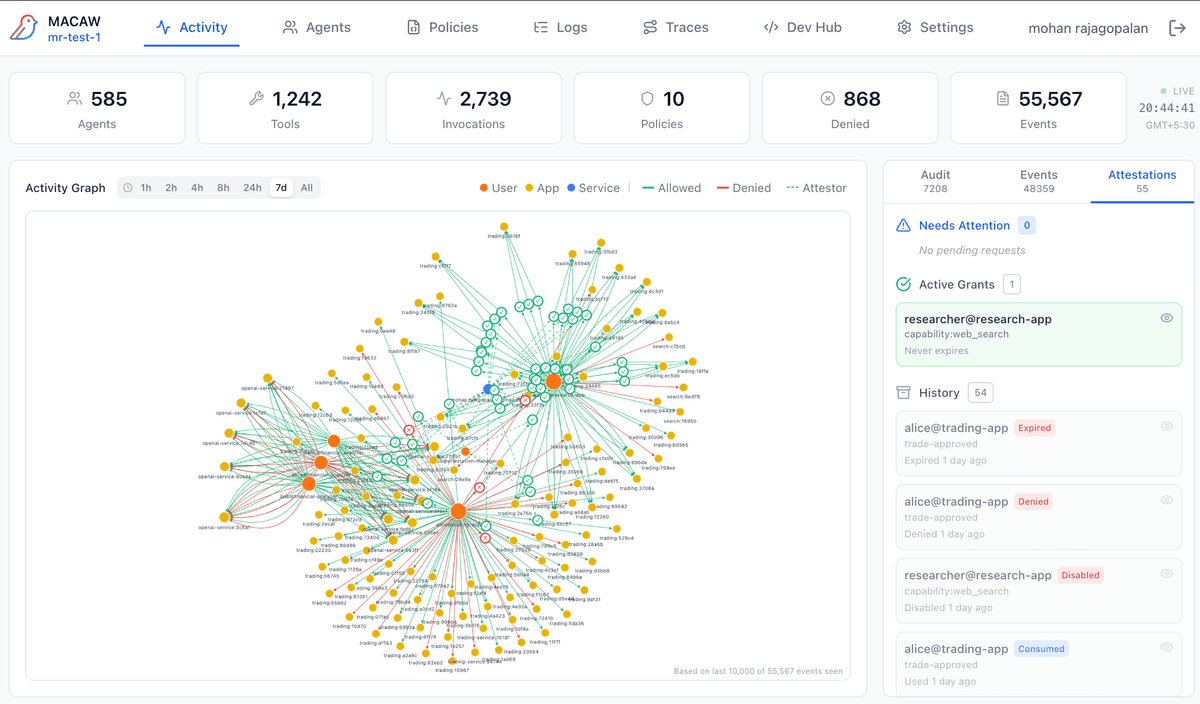
Human-in-the-loop approvals for sensitive operations. The attestation panel has three sections:
Managing Attestations
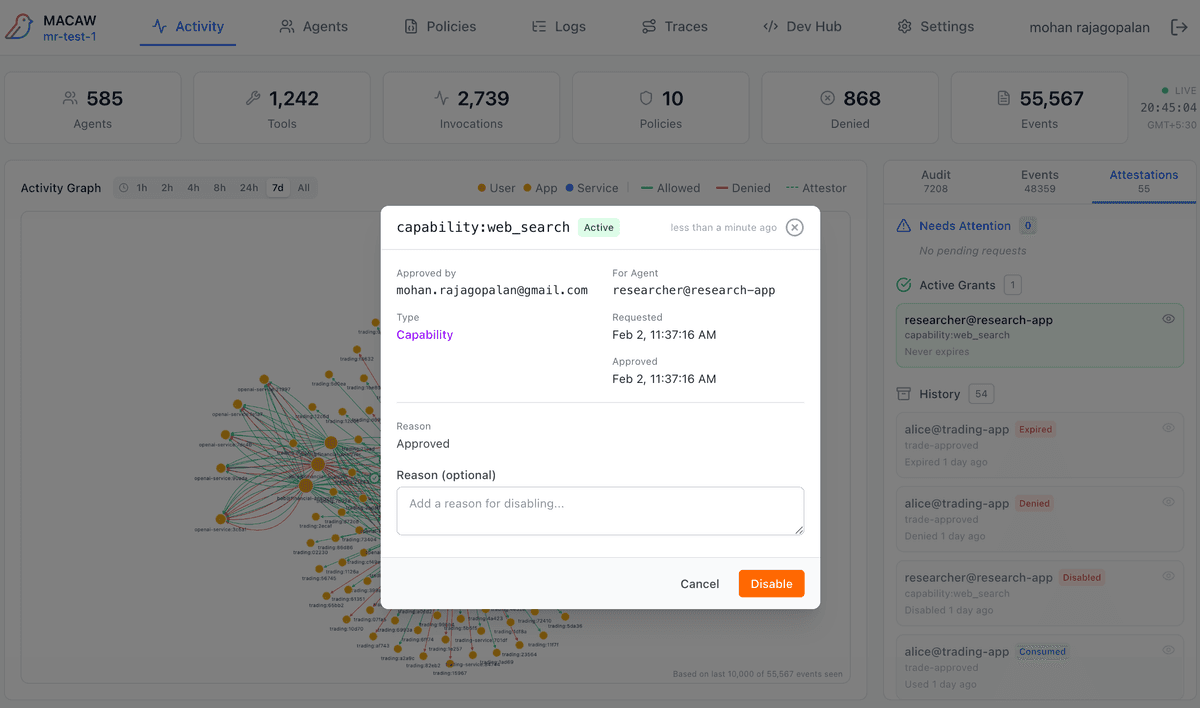
Click any attestation to open the inspector modal. From here you can:
- • Approve — Grant the requested capability with optional reason
- • Deny — Reject the request with optional reason
- • Disable — Revoke an active grant (for Active Grants)
- • View Details — See requester, capability, expiration, and access history
Attestation Lifecycle
Created → Pending → Approved/Denied → Accessed → Consumed/Expired/Disabled
See Traces → Attestation Chains for full lifecycle visibility.