
Agent Registry
The Agents tab shows all registered agents in your workspace. Monitor their status, view their tools, and track request activity.
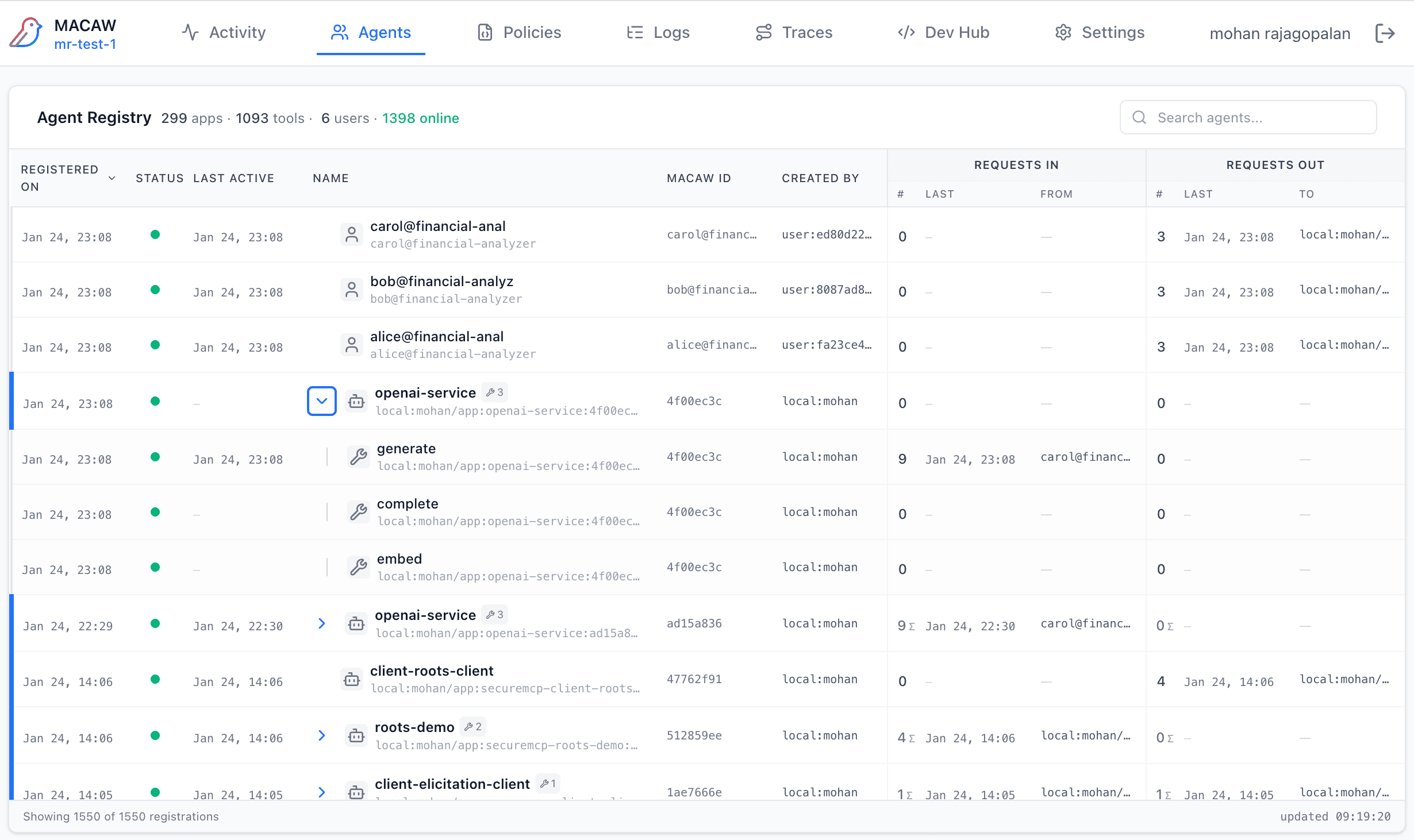
Registry Overview
The agent registry displays a hierarchical view of all agents. Apps and Services are shown as top-level entries, with their registered tools nested underneath.
| Column | Description |
|---|---|
| Registered On | When the agent first registered with the Control Plane |
| Status | Online (green dot) or Offline (gray). Based on heartbeat |
| Last Active | Most recent activity timestamp |
| Name / MACAW ID | Display name and unique identifier |
| Created By | Principal that registered the agent |
| Requests In | Count, last request time, and source agent |
| Requests Out | Count, last request time, and target agent |
Agent Types
Apps
Application-level agents. These typically represent your AI applications that consume tools and LLMs. Shown with yellow icon.
Services
Service providers including MCP servers and tool providers. These expose capabilities that apps can invoke. Shown with blue icon.
Users
Human user principals. These represent authenticated users whose identity flows through the system. Shown with orange icon.
Viewing Tools
Expand any App or Service to see its registered tools. Each tool shows:
- • Tool Name — The tool identifier (e.g.,
generate,search) - • Invocation Count — How many times the tool has been called
- • Last Invoked — Most recent invocation timestamp
Search
Use the search box to filter agents by name or creator. Useful when you have many registered agents.
Agent Details
Click any agent row to open the details modal. This shows:
Identity
- • Full MACAW Agent ID
- • Public key (for verification)
- • Principal identifier
- • Registration timestamp
Activity
- • Total requests made/received
- • Last active timestamp
- • Current status (online/offline)
- • Tools list with invocation counts