
Policy Store
The Policies tab is your central interface for managing MAPL policies. Create policies with AI assistance, view inheritance hierarchies, and track version history.
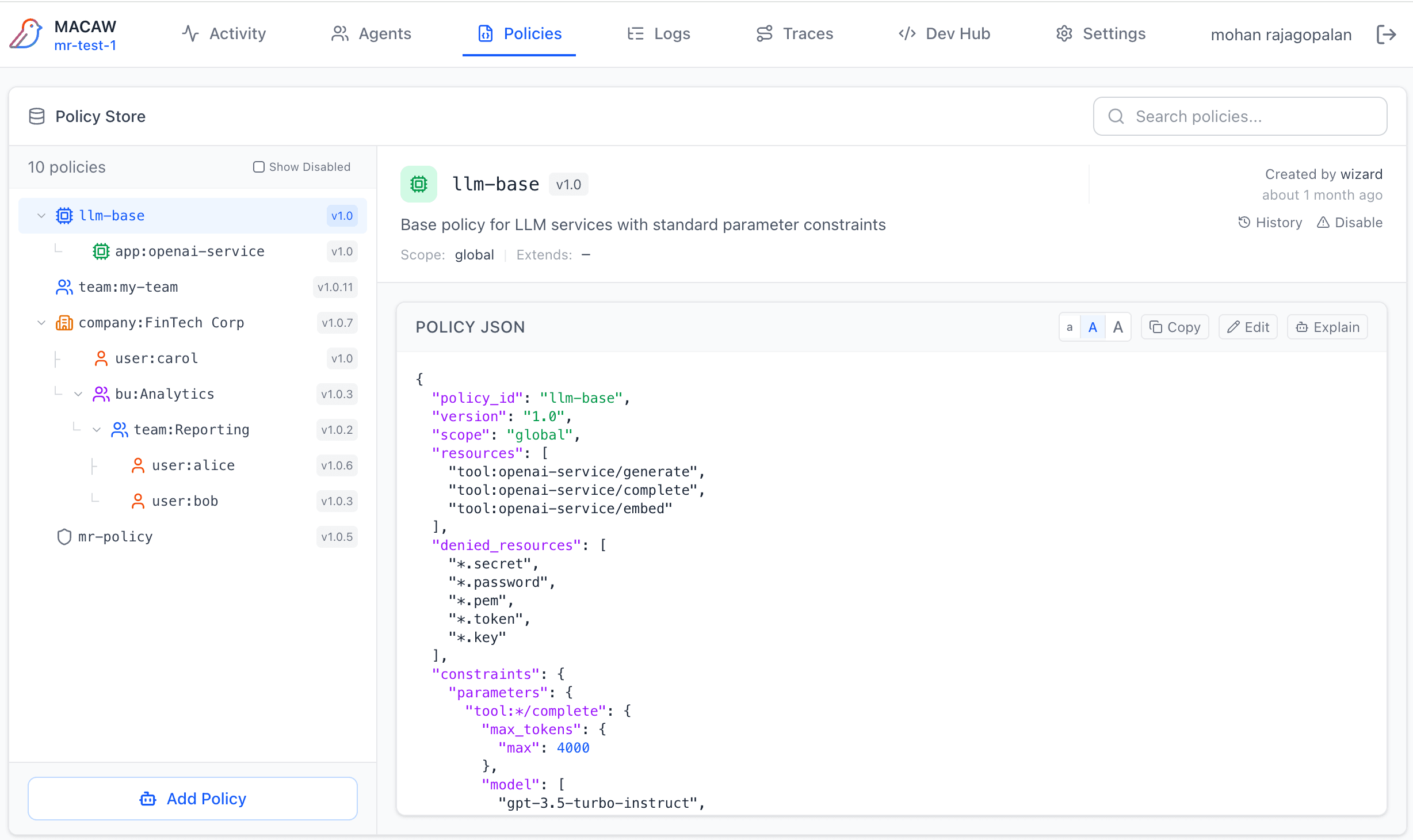
Policy Tree
The left panel shows all policies in a hierarchical tree that reflects inheritance relationships. Child policies are indented under their parent.
Policy Icons
Tree Controls
- • Click arrow — Expand/collapse children
- • Click policy — View in detail panel
- • Version badge — Shows current version
- • Show Disabled — Toggle archived policies
- • Search — Filter by policy ID
Policy Detail View
Select a policy to view its full JSON in the detail panel. The panel shows:
- • Header — Policy ID, version, description, scope, extends
- • JSON Editor — Syntax-highlighted policy content with line numbers
- • Actions — Copy, Edit, Explain, Evaluate buttons
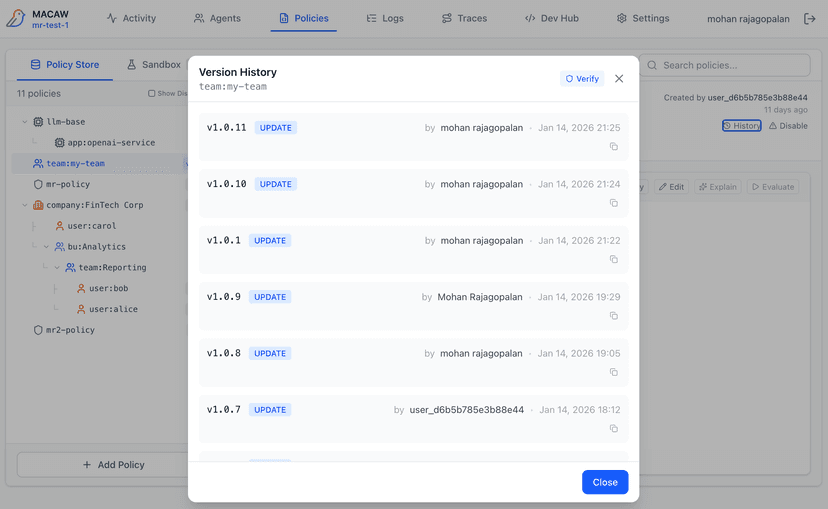
Version History
Click History to view all versions with timestamps, authors, and content hashes. Verify integrity of any version.
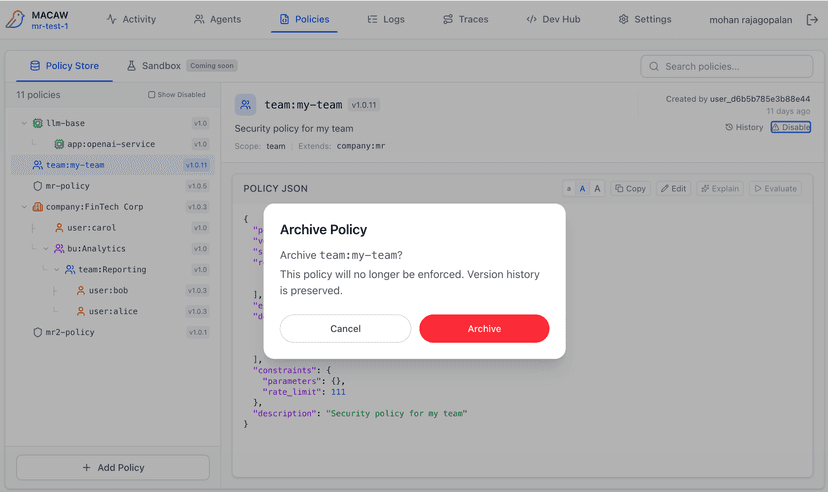
Disable Policy
Click Disable to archive a policy. Disabled policies are hidden by default but preserved for audit purposes.
Creating Policies
Click + Add Policy to open the policy editor. You have two options:
Policy Assistant (AI)
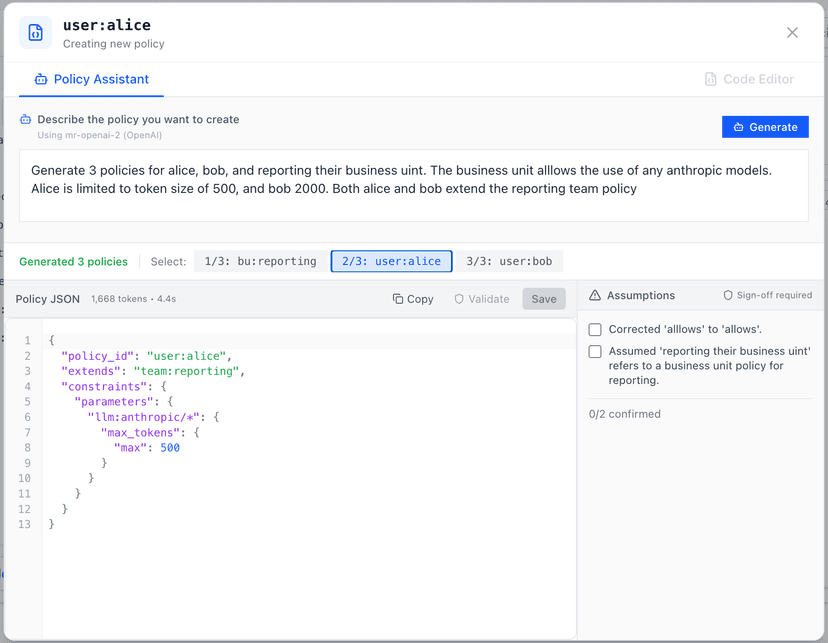
Describe your policy in natural language. The AI generates valid MAPL JSON, including support for multiple related policies.
- • Generates multiple policies from one prompt
- • Shows assumptions for review
- • Displays token usage and generation time
- • Requires sign-off before save (configurable)
Code Editor
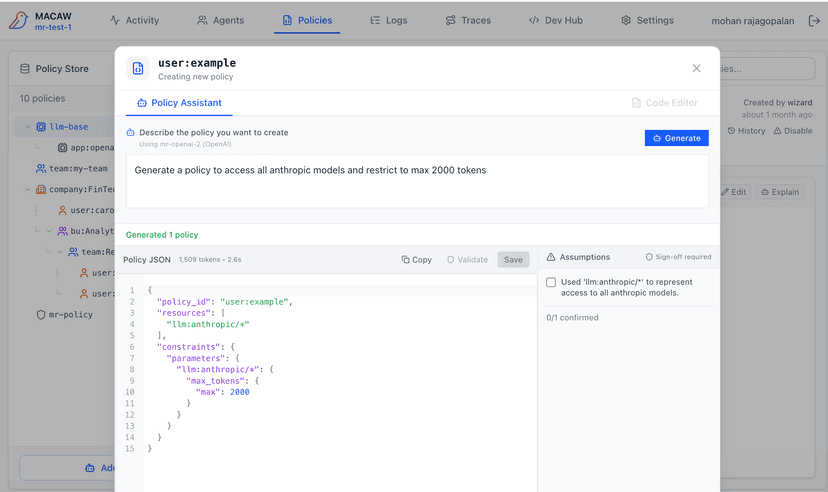
Write MAPL JSON directly with syntax highlighting and validation.
- • Full JSON editor with line numbers
- • Real-time syntax highlighting
- • Schema validation on save
- • Copy from existing policies
Validate and Save
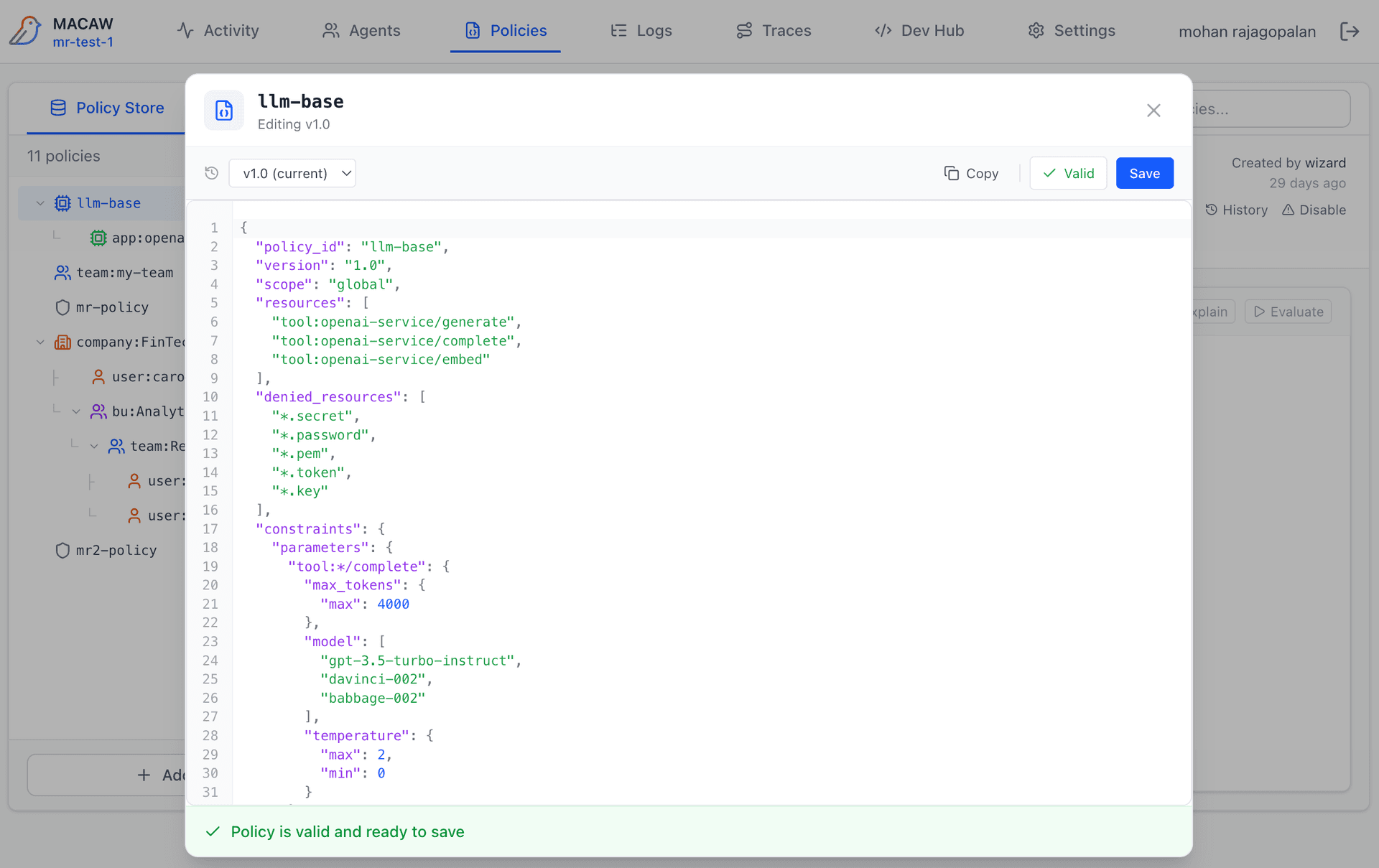
Before saving, click Validate to check your policy:
- • JSON syntax — Valid JSON structure
- • MAPL schema — Required fields, valid constraint types
- • Semantic rules — Resource patterns, inheritance validity
Validation errors show line numbers for quick navigation. Fix errors and re-validate before the Save button becomes active.
Explain Policy
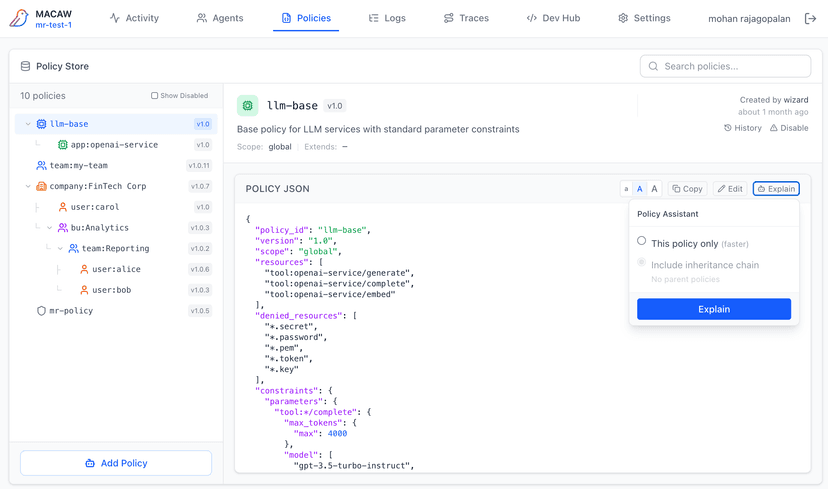
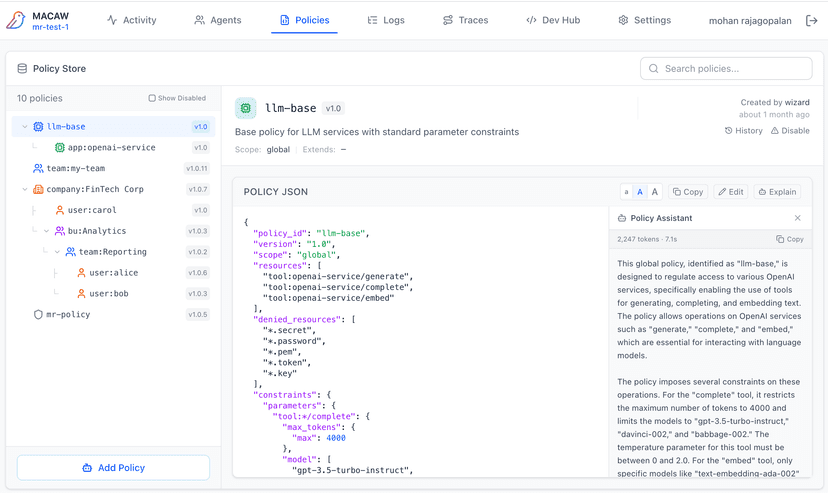
Click Explain to get a plain-English summary of what the policy does. Optionally include the inheritance chain for full context on how constraints combine.